
2D, 3D, AI और Sketchfab होलोग्राम वर्कफ़्लो की तुलना
सबसे तेज़ workflow हमेशा सही नहीं होता, और सबसे ज़्यादा controllable workflow हमेशा ज़रूरी भी नहीं होता। यह तुलना पेज टीमों को वह रास्ता चुनने में मदद करने के लिए है जो source asset, cleanup budget और print goal के हिसाब से सबसे बेहतर बैठे।
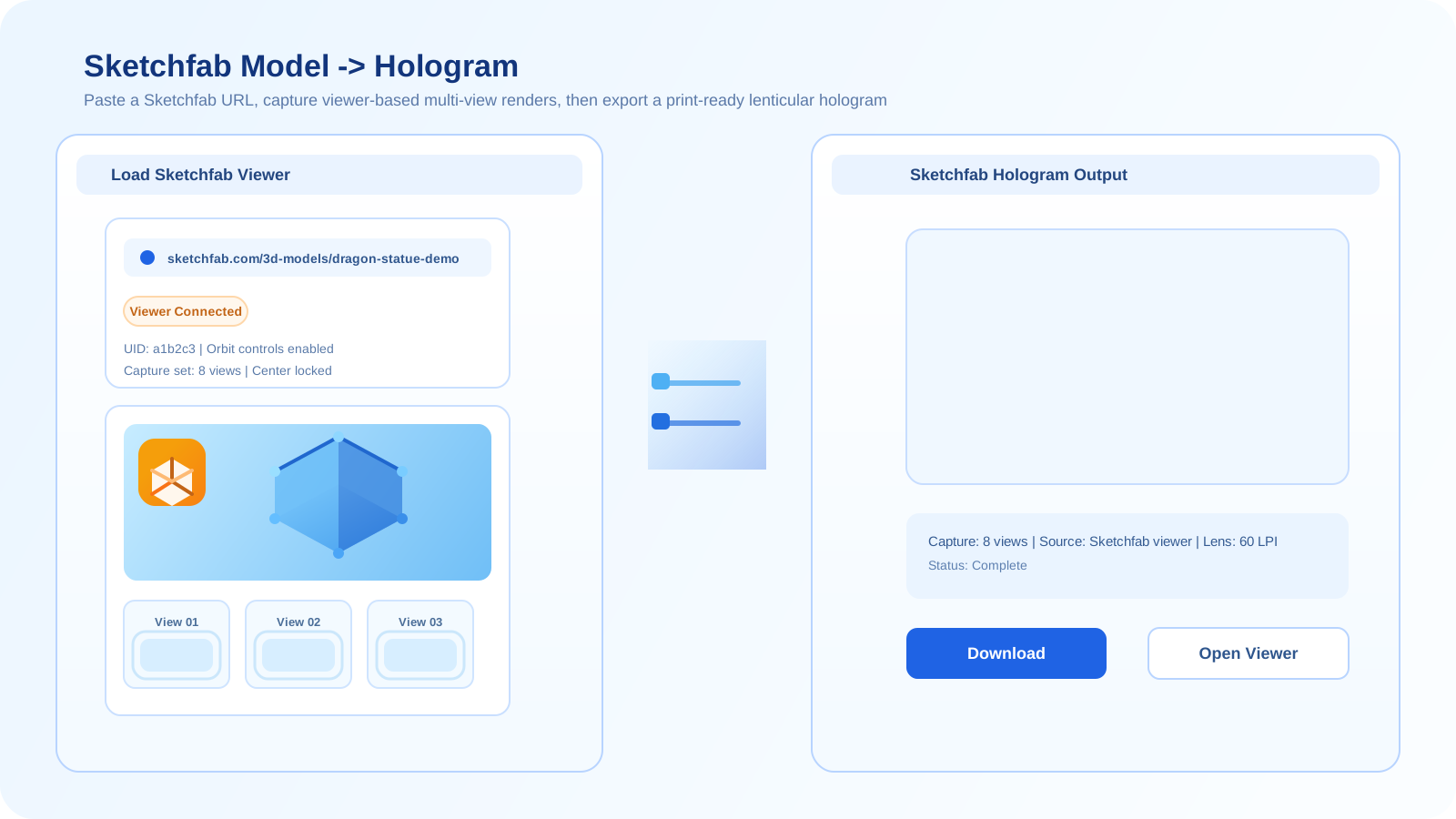
इन चार workflows के बीच क्या बदलता है
2D flat imagery से शुरू होता है और आमतौर पर test करने का सबसे सरल तरीका होता है। 3D real geometry से शुरू होता है और सबसे मज़बूत control देता है। AI limited source material से शुरू होता है और जल्दी नए viewpoints generate करने में मदद करता है, लेकिन consistency बदल सकती है। Sketchfab एक hosted 3D scene से शुरू होता है और अक्सर setup time घटा देता है, खासकर जब viewer पहले से final intent के काफ़ी करीब दिखता हो।
ज़्यादातर workflow mistakes तब होती हैं जब teams fit की जगह novelty के लिए optimize करती हैं। अगर आपके पास पहले से clean geometry है, तो उसे इस्तेमाल करें। अगर आपके पास केवल flat image है, तो वहीं से शुरू करें। अगर आपका source पहले से Sketchfab पर hosted है और visually stable है, तो वह shortcut किसी गहरे rebuild से ज़्यादा मूल्यवान हो सकता है।
2D workflow
सबसे अच्छा तब, जब आप एक single image या image sequence से शुरू कर रहे हों और initial print test तक सबसे तेज़ रास्ता चाहते हों।
2D generator खोलें3D workflow
सबसे अच्छा तब, जब आपके पास real geometry हो और आपको reliable camera control, depth stability और ज़्यादा production confidence चाहिए।
3D generator खोलेंAI workflow
सबसे अच्छा तब, जब आपको synthetic viewpoints, concept exploration, या limited source material को किसी ज़्यादा controlled pass से पहले बढ़ाने का तरीका चाहिए।
AI generator खोलेंSketchfab workflow
सबसे अच्छा तब, जब model पहले से एक stable hosted scene में मौजूद हो और आप full asset export के बिना तेज़ browser-based preview path चाहते हों।
Sketchfab generator खोलें| Side-by-side तुलना | 2D | 3D | AI | Sketchfab |
|---|---|---|---|---|
| शुरुआती asset | Flat image या image sequence | Real 3D model या scene | Generated views के लिए single image या limited source | Hosted Sketchfab scene |
| Setup speed | Simple tests के लिए सबसे तेज़ | धीमा, लेकिन setup control ज़्यादा मज़बूत | Exploration के लिए तेज़, instability होने पर cleanup धीमा | जब hosted scene पहले से usable हो, तब तेज़ |
| Depth control | Low से medium | High | Medium, लेकिन drift हो सकता है | Medium, hosted scene पर निर्भर |
| सबसे उपयुक्त | Quick image-based proofing | Controlled print production | Ideation और synthetic multi-view generation | Existing public models से तेज़ tests |
एक सरल decision path
- अगर आपके पास केवल flat imagery है, तो इस आधार पर 2D या AI से शुरू करें कि आपको generated viewpoints चाहिए या नहीं।
- अगर आपके पास पहले से geometry है और quality मायने रखती है, तो AI से control दोबारा बनाने के बजाय सीधे 3D पर जाएँ।
- अगर model पहले से Sketchfab पर है और hosted scene stable दिखता है, तो deeper production से पहले setup time घटाने के लिए Sketchfab इस्तेमाल करें।
- अगर शुरुआती tests instability दिखाएँ, तो control बढ़ाएँ: 2D से AI, AI से 3D, या Sketchfab से direct 3D files की ओर जाएँ।
सामान्य गलतियाँ
- जब reliable geometry पहले से उपलब्ध हो, तब भी AI का उपयोग करना।
- एक flat 2D source को true 3D scene की तरह behave कराने की कोशिश करना।
- जब hosted lighting या materials साफ़ तौर पर print quality को रोक रहे हों, तब भी Sketchfab में बने रहना।
- सिर्फ़ सबसे कम setup time वाले workflow को चुनना, जबकि cleanup बाद में ज़्यादा महँगा पड़ेगा।
अक्सर पूछे जाने वाले सवाल
अंतिम print quality के लिए कौन सा workflow आमतौर पर सबसे अच्छा होता है?
अगर आपके पास पहले से एक अच्छा model है, तो direct 3D workflow आमतौर पर final print quality के लिए सबसे मज़बूत विकल्प होता है, क्योंकि वह geometry, viewpoint और render setup पर सबसे ज़्यादा control देता है।
Sketchfab full 3D workflow से कब बेहतर होता है?
जब speed, full control से ज़्यादा महत्वपूर्ण हो और hosted model पहले से इतना stable दिखता हो कि वह useful preview या test render को support कर सके।
क्या इन workflows को combine किया जा सकता है?
हाँ। Teams अक्सर AI को ideation के लिए, 2D को quick proofing के लिए, Sketchfab को fast hosted previews के लिए, और direct 3D को ज़्यादा controlled production pass के लिए मिलाकर उपयोग करती हैं।