
2D, 3D और AI होलोग्राम वर्कफ़्लो में कैसे चुनें
सबसे अच्छा workflow आमतौर पर आपके source material और depth, viewpoint, तथा cleanup पर आपकी ज़रूरत के control level से तय होता है। ज़्यादातर teams तब समय बर्बाद करती हैं जब वे सबसे उपयुक्त workflow के बजाय सबसे दिलचस्प workflow चुन लेती हैं।
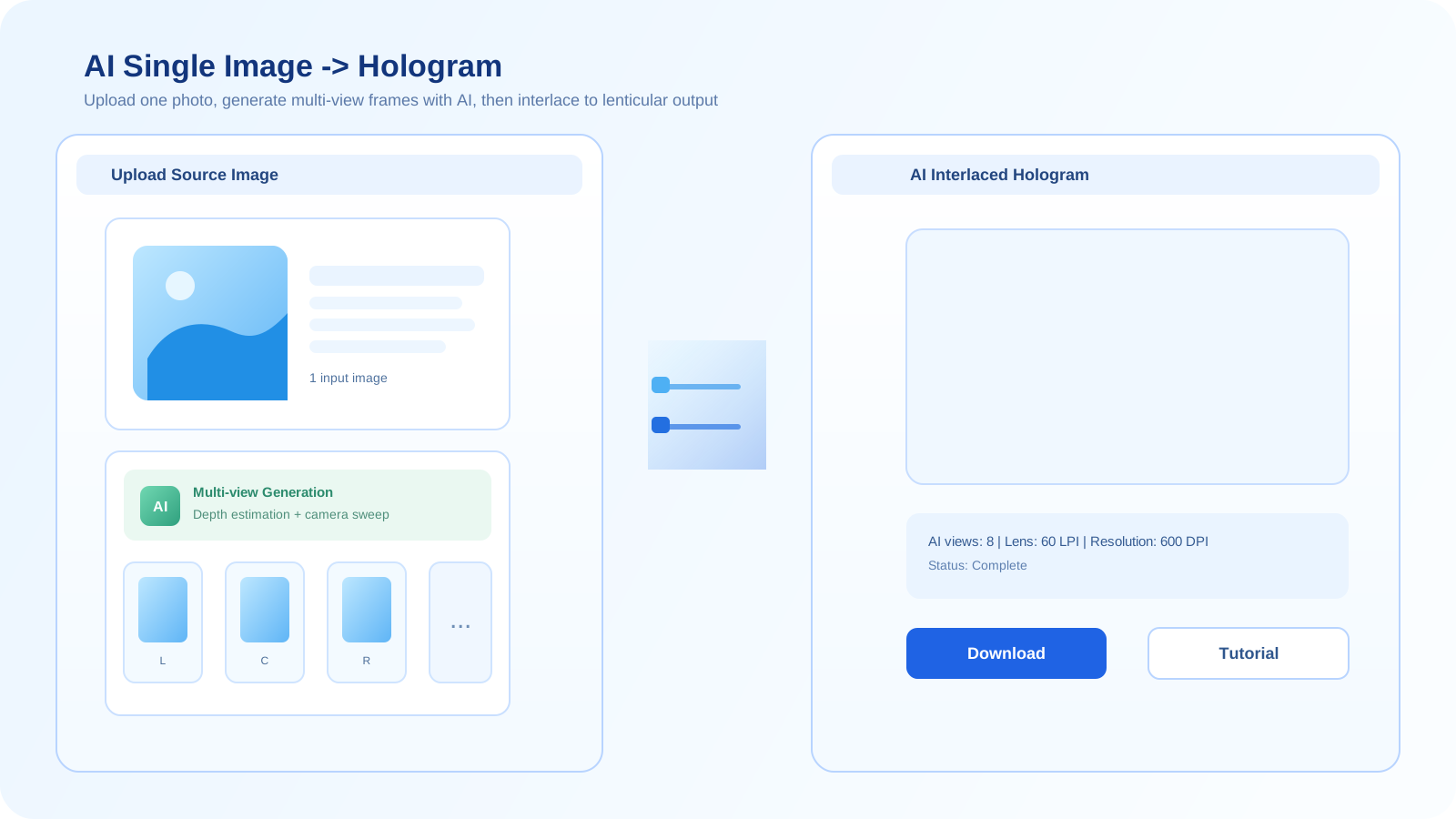
जिस asset से आप पहले से शुरू कर सकते हैं, वहीं से शुरू करें
अगर आपके पास केवल एक flat source image है, तो 2D workflow आमतौर पर testing का सबसे तेज़ रास्ता होता है। अगर आपके पास real geometry है, तो 3D आपको ज़्यादा भरोसेमंद depth और camera control देता है। अगर आपको तेज़ concept exploration या synthetic viewpoints चाहिए, तो AI उपयोगी हो सकता है।
गलत choice आमतौर पर extra cleanup work पैदा करती है। 2D workflow जादुई तरीके से full 3D scene नहीं बन सकता, और जब print precision महत्वपूर्ण हो, तब AI workflow controlled geometry का विकल्प नहीं है।
2D चुनें
जब आप single image से शुरू कर रहे हों और lenticular-ready print test तक सबसे सरल रास्ता चाहते हों, तब 2D workflow इस्तेमाल करें।
2D generator खोलें3D चुनें
जब आपके पास model हो और consistent depth, real camera control, तथा cleaner multi-view output चाहिए हो, तब 3D workflow इस्तेमाल करें।
3D generator खोलेंAI चुनें
जब आपको तेज़ visual exploration, synthetic multi-view concepts, या किसी ज़्यादा controlled production pass से पहले source generation चाहिए हो, तब AI workflow इस्तेमाल करें।
AI generator खोलेंएक simple decision process
- जाँचें कि आपका source flat image है, true 3D asset है, या सिर्फ़ एक idea है जिसे अभी generate किया जाना है।
- यह तय करें कि viewpoint, geometry stability और material fidelity पर आपको कितना control चाहिए।
- वह workflow चुनें जो cleanup को कम करे और फिर भी print testing के लिए पर्याप्त depth दे।
- अगर पहला workflow काफ़ी stable नहीं है, तो उसी source को ज़बरदस्ती आगे धकेलने के बजाय ज़्यादा control वाले workflow पर जाएँ।
गति
जब source पहले से अच्छी image हो, तो 2D आमतौर पर सबसे तेज़ होता है। AI ideation के लिए तेज़ है। 3D setup में धीमा है, लेकिन ज़्यादा controllable है।
नियंत्रण
3D camera, geometry और depth पर सबसे मज़बूत control देता है। 2D सबसे कम structural control देता है। AI बीच में आता है, लेकिन inconsistent हो सकता है।
सबसे अच्छा उपयोग
2D को simple image-based tests के लिए, 3D को precise print work के लिए, और AI को concept generation या synthetic multi-view exploration के लिए उपयोग करें।
अक्सर पूछे जाने वाले सवाल
मुझे 3D की जगह 2D कब इस्तेमाल करना चाहिए?
जब आपके पास केवल flat image हो और आप quick test चाहते हों, तब 2D इस्तेमाल करें। जब आपको real viewpoint control और print output के लिए ज़्यादा reliable depth चाहिए हो, तब 3D इस्तेमाल करें।
क्या hologram generation के लिए AI, 3D से बेहतर है?
सामान्य रूप से नहीं। AI speed और concept exploration के लिए बेहतर है, जबकि 3D controlled geometry, repeatability और production-oriented rendering के लिए बेहतर है।
क्या इन workflows को combine किया जा सकता है?
हाँ। Teams अक्सर exploration के लिए AI, quick image-based tests के लिए 2D, और ज़्यादा controlled final render path के लिए 3D का इस्तेमाल करती हैं।