
ขนาดภาพและความละเอียดที่ดีที่สุดสำหรับงานพิมพ์เลนติคิวลาร์
ไม่มีขนาดภาพสากลเพียงแบบเดียวที่เหมาะกับงานพิมพ์เลนติคิวลาร์ทุกชิ้น ขนาดที่เหมาะสมขึ้นอยู่กับขนาดงานพิมพ์จริง รายละเอียดของวัตถุ และปริมาณข้อมูลของแต่ละวิวที่งานพิมพ์ต้องรองรับ
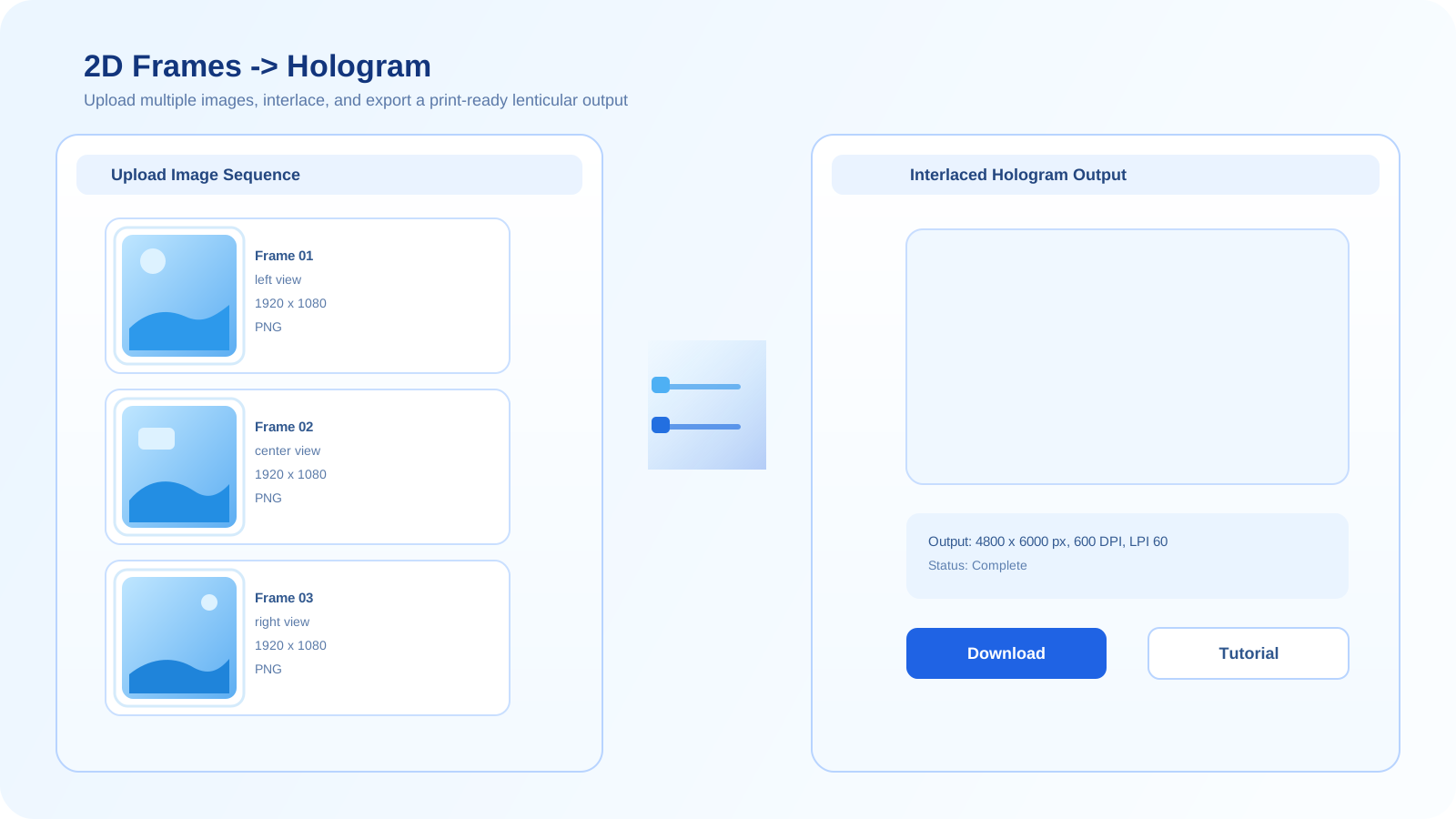
ทำไมขนาดและความละเอียดจึงสำคัญ
เอาต์พุตเลนติคิวลาร์จะกระจายข้อมูลภาพออกไปหลายวิว ซึ่งทำให้ข้อจำกัดของความละเอียดต้นฉบับที่อ่อนเกินไปปรากฏชัดอย่างรวดเร็ว โดยเฉพาะที่ขอบภาพ พื้นผิว และรายละเอียดที่มีคอนทราสต์สูง
ขนาดไฟล์นำเข้าที่ถูกต้องไม่ได้หมายถึงแค่การทำให้ไฟล์ใหญ่ขึ้น แต่คือการรักษารายละเอียดที่มีประโยชน์ให้เพียงพอกับขนาดงานพิมพ์และจำนวนวิวที่คุณต้องการเข้ารหัส
เวิร์กโฟลว์เชิงปฏิบัติสำหรับการเลือกขนาดภาพ
- เริ่มจากขนาดงานพิมพ์จริงที่ต้องการ แทนที่จะเลือกจำนวนพิกเซลแบบสุ่ม
- ใช้ภาพต้นฉบับที่มีรายละเอียดมากพอจะผ่านการครอป การทำ depth และการ interlace โดยไม่สูญเสียความคมอย่างชัดเจน
- อย่าคาดหวังว่าการ upscale ไฟล์ต้นฉบับที่อ่อนจะเพิ่มรายละเอียดจริงสำหรับงานพิมพ์ได้
- ทดสอบด้วยพรีวิวหรือ proof print ก่อนตัดสินใจใช้ขนาดสุดท้ายสำหรับการผลิต
แนวทางเริ่มต้นที่ดีที่สุด
ใช้ภาพต้นฉบับที่สะอาดที่สุดและใหญ่ที่สุดที่คุณเชื่อถือได้อยู่แล้ว จากนั้นจึงกำหนดขนาดตามเป้าหมายงานพิมพ์จริง แทนการเดาจากขนาดบนหน้าจอเพียงอย่างเดียว
ข้อผิดพลาดที่พบบ่อย
- ใช้ภาพต้นฉบับขนาดเล็ก แล้วพยายามกู้รายละเอียดกลับมาด้วยการ upscale เพียงอย่างเดียว
- ละเลยขนาดงานพิมพ์สุดท้าย และปรับแต่งเฉพาะหน้าตาบนหน้าจอ
- ลืมไปว่าเอาต์พุตแบบหลายวิวจะแบ่งรายละเอียดที่มีประโยชน์ออกไปหลายวิว
ทดสอบด้วยเวิร์กโฟลว์ 2D
หากคุณเริ่มจากภาพแบน เวิร์กโฟลว์ 2D คือวิธีที่เร็วที่สุดในการทดสอบว่าความละเอียดต้นฉบับปัจจุบันของคุณแข็งแรงพอสำหรับเอาต์พุตเลนติคิวลาร์หรือไม่
เปิดตัวสร้าง 2Dคำถามที่พบบ่อย
ภาพที่ใหญ่กว่าจะดีกว่าสำหรับงานพิมพ์เลนติคิวลาร์เสมอหรือไม่?
ไม่เสมอไป ไฟล์ที่ใหญ่ขึ้นจะช่วยได้ก็ต่อเมื่อมีรายละเอียดจริงอยู่ภายในเท่านั้น ภาพที่ upscale หรือภาพที่นุ่มอยู่แล้วอาจยังล้มเหลวในงานพิมพ์ แม้ว่าขนาดพิกเซลจะดูใหญ่ก็ตาม
ทำไมงานพิมพ์เลนติคิวลาร์จึงต้องการรายละเอียดต้นฉบับที่แข็งแรงกว่า?
เพราะเอาต์พุตสุดท้ายกระจายข้อมูลไปหลายวิว ทำให้รายละเอียดที่แต่ละวิวสามารถเก็บไว้ได้ลดลง ดังนั้นภาพต้นฉบับที่อ่อนจึงเสื่อมคุณภาพเร็วกว่า
ฉันควรปรับแต่งตามขนาดหน้าจอหรือขนาดงานพิมพ์?
ควรปรับตามขนาดงานพิมพ์ที่ตั้งใจไว้ก่อน พรีวิวบนหน้าจอมีประโยชน์สำหรับการตรวจสอบ แต่เป้าหมายจริงคืองานพิมพ์จริงและปริมาณรายละเอียดที่มันสามารถรักษาไว้ได้